
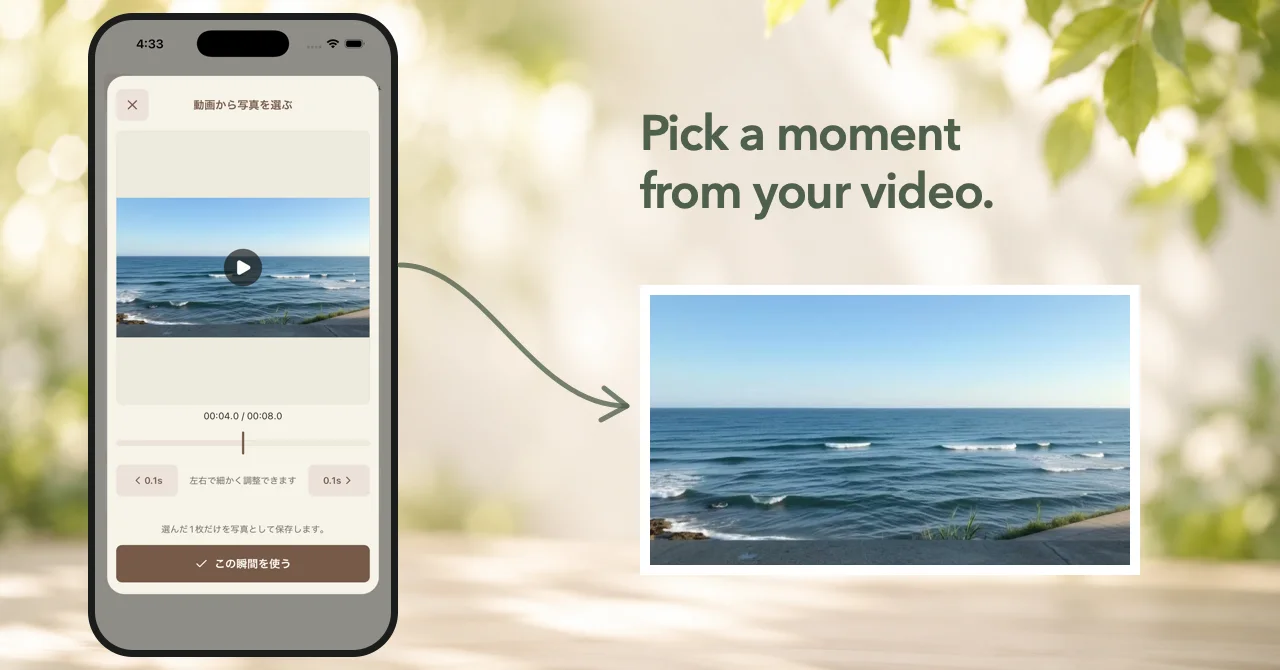
Version 1.7.0 lets you choose a favorite moment from a video and save that frame as the photo for your diary entry.
I have been recording more of everyday life as video recently while developing the AI vlog app Leno. That made me notice a simple situation when writing in 100 Year Diary: sometimes I had not taken a photo that day, but I did have a video.
There can still be a moment inside that video that I want to keep with the diary entry. Other people may record their days the same way, or may simply have days where video is the only thing left in the camera roll.
Pick one moment from a video
When adding a photo, you can select a video and review it directly in the app.
Play the video or move through it until you reach the moment you want, then save that single frame as the diary photo.
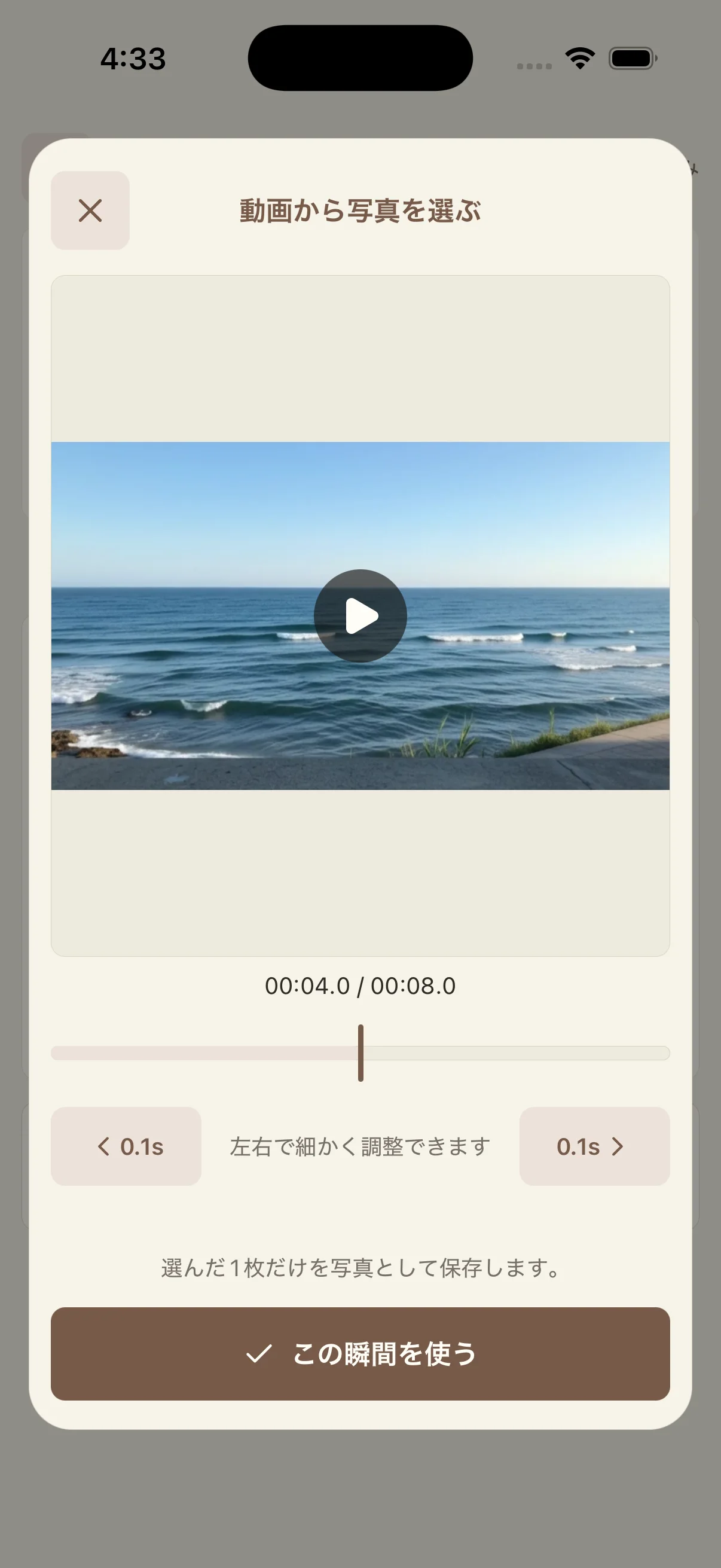
Only the selected still image is saved. The original video itself is not stored in 100 Year Diary or added to diary exports and cloud backups.
Better layout for long entries with photos
I also made a small improvement to reading longer diary entries that include a photo.
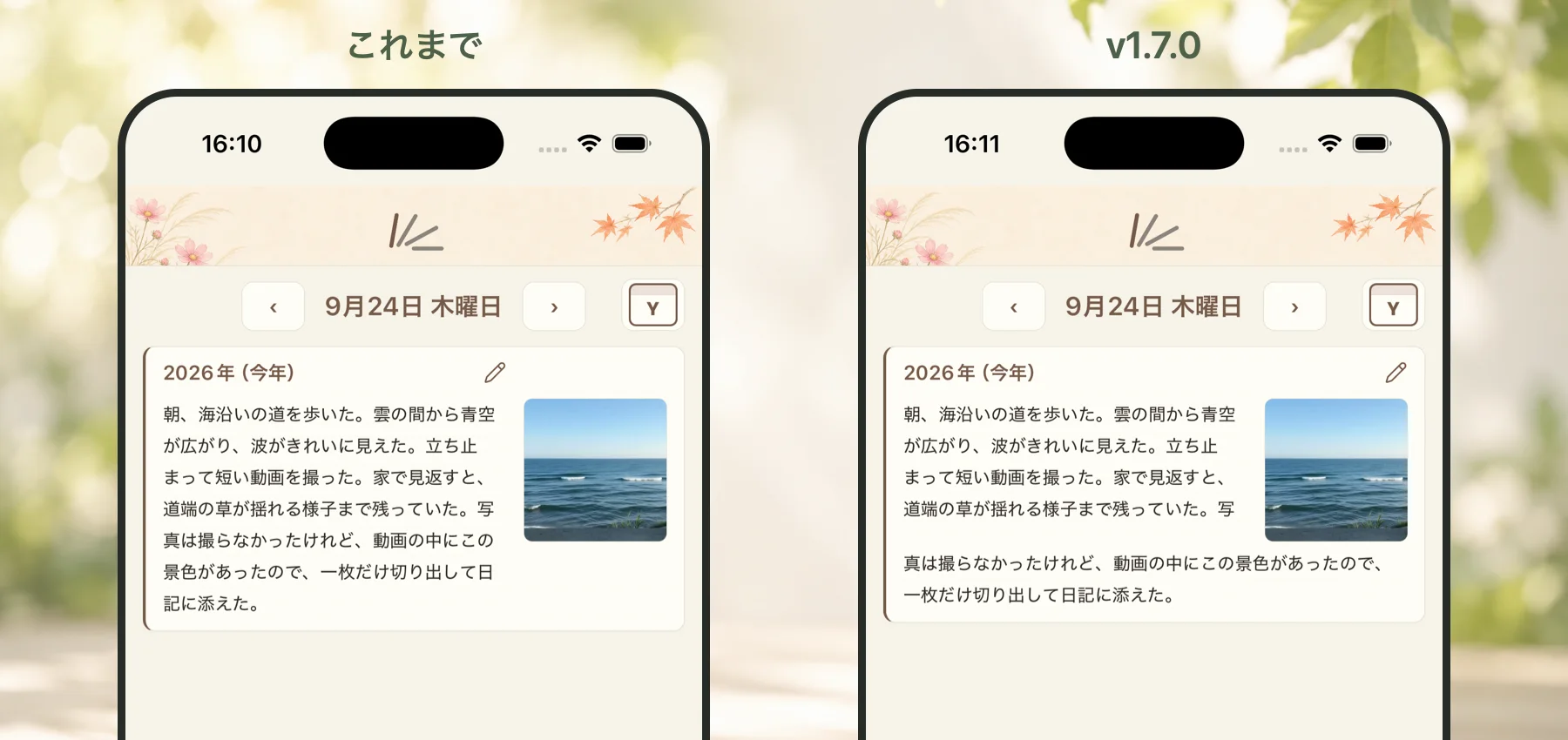
In v1.7.0, once the text reaches below the photo, it continues across the full width of the card instead of staying in the narrow column beside the image.
This release is less about a large new feature and more about removing a small friction from everyday use.
Even on a day when you only recorded video, you can now choose one moment from it and keep that moment as the photo for your diary.