
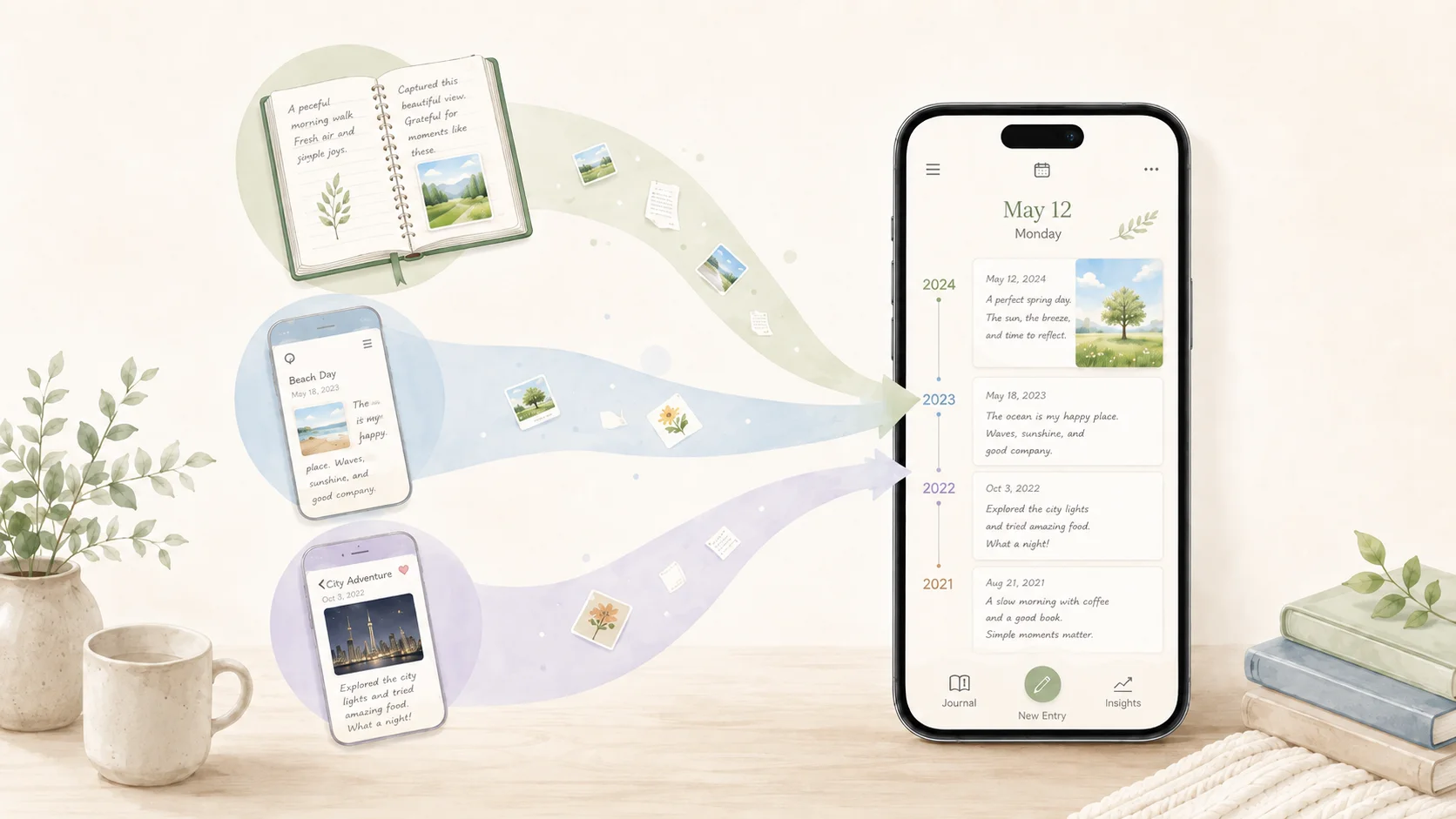
Version 1.4.0 of 100 Year Diary adds a way to move existing diary history from other apps into 100 Year Diary.
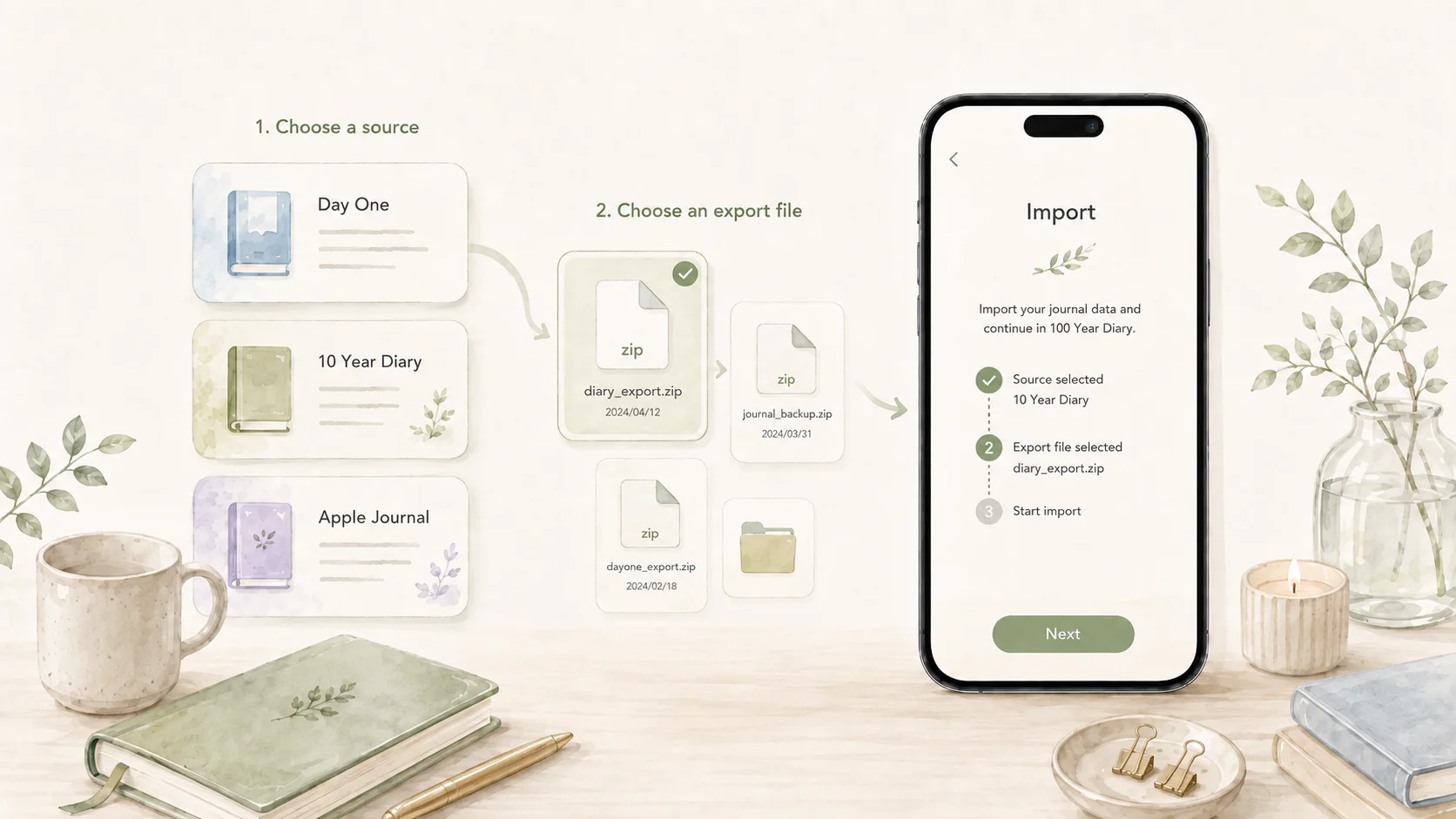
The first supported sources are Day One, 10 Year Diary, and Apple Journal. Entries and photos can both be imported.
The difficulty of changing diary apps
Trying a new diary app is easy when there is nothing to leave behind. It becomes much harder after years of writing.
A diary gains value as its history grows. Looking back at the same date one or three years ago only works because those older entries are still there.
That makes migration unusually important for a diary app. Starting somewhere new while leaving years of entries somewhere else splits the record in two, but manually copying years of writing is not realistic either.
If 100 Year Diary is meant to be used for a long time, it should be able to start with the history you already have, not only with what you write from today onward.
Supported diary apps
Version 1.4.0 supports moving entries from three apps:
- Day One
- 10 Year Diary
- Apple Journal
After exporting your diary from the source app, open “Move from another diary” in Settings, choose the source, and select the exported file.
The export formats differ between apps, so 100 Year Diary parses each one and converts dates, text, and photos into its own data model. Day One uses a JSON Zip export, 10 Year Diary uses text plus an optional photo Zip, and Apple Journal uses the Zip produced by Apple’s full export.
Review before import
Importing old diary history should not change your current data just because a file was selected.
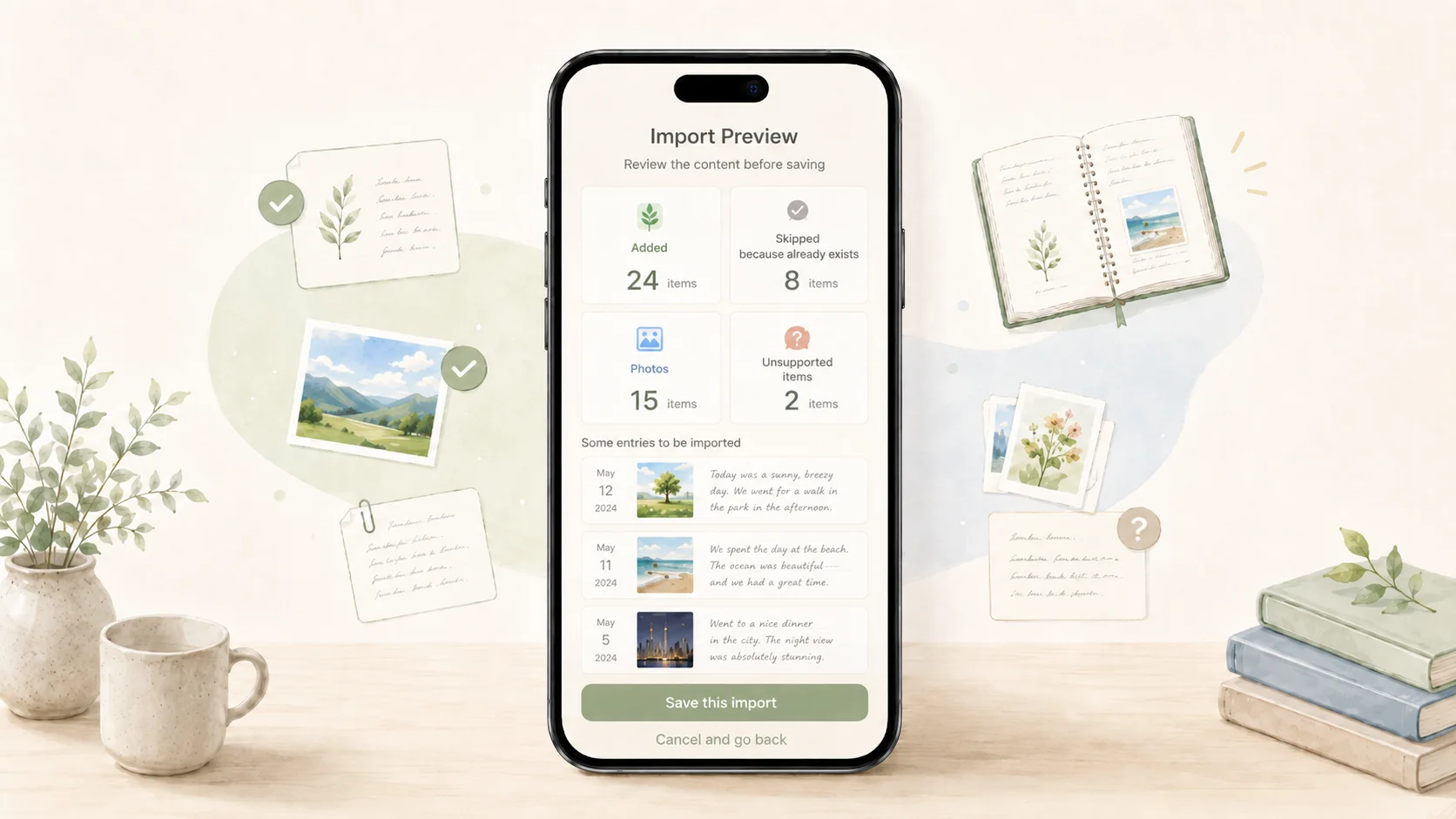
100 Year Diary first scans the export and shows what it found: entries that will be added, days that will be skipped because they already exist, photos, unsupported items, and a sample of the text that will be imported.
Nothing is saved until you review that information and explicitly confirm the import.
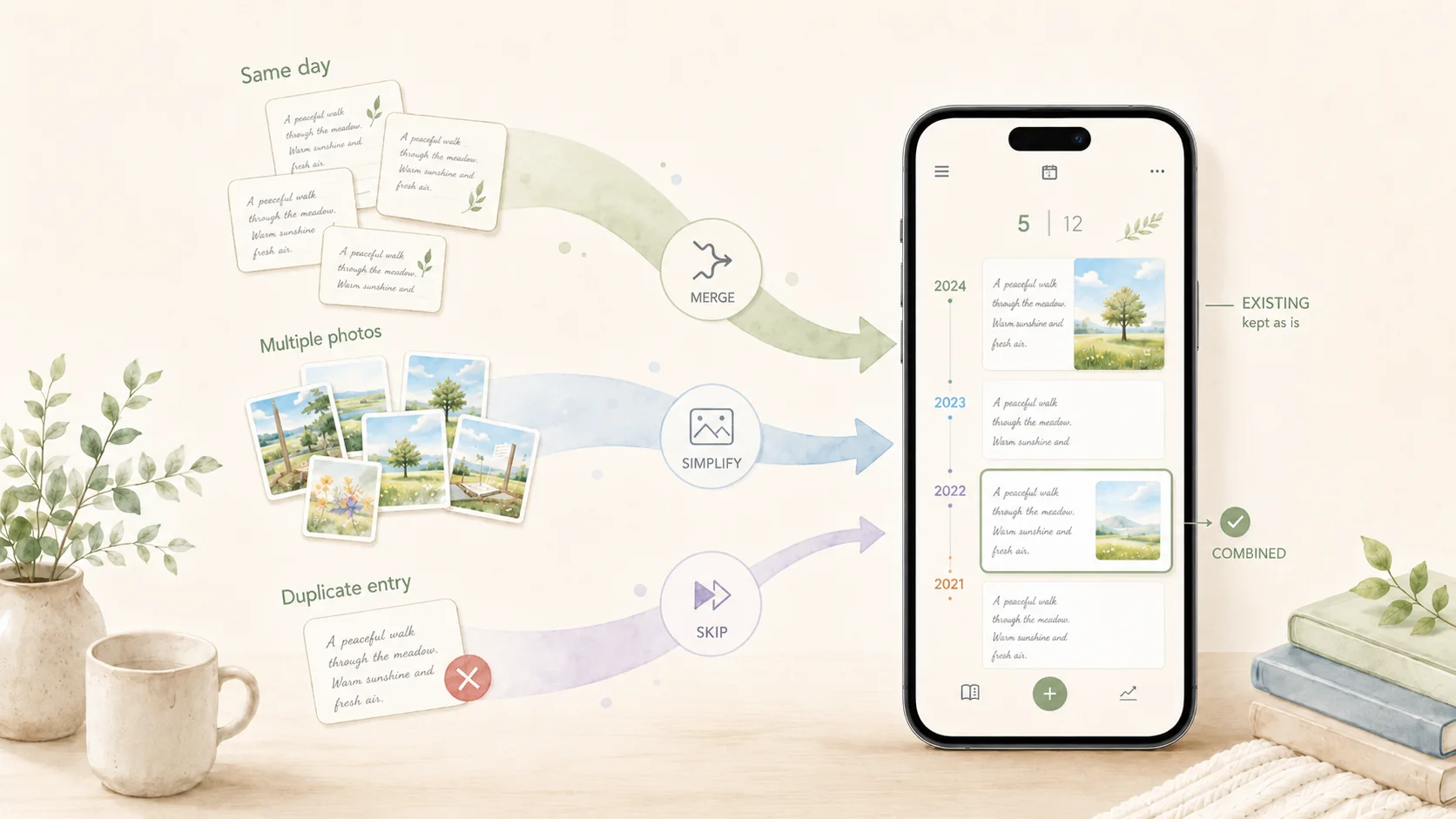
Existing days are also protected. If the same date already has an entry in 100 Year Diary, that entry stays as it is and the incoming entry for that date is skipped.
Differences in data formats
Diary apps do not all model a day in the same way.
Day One, for example, can contain multiple entries on the same date, while 100 Year Diary keeps one entry per day. When several entries share a date, they are ordered by time when possible and combined into one daily entry.
Photos need a similar conversion. A source app may contain several photos on one day, while 100 Year Diary currently keeps one. The first photo becomes the representative photo for that day, and the review screen makes it clear when additional photos will not be imported.
Video, audio, locations, tags, favorites, and other data without a matching place in 100 Year Diary are not silently inserted into the diary text.
The goal is not to imitate every source app exactly. It is to make the migration predictable while keeping the simple one-entry, one-photo-per-day structure of 100 Year Diary.
On-device processing
The migration keeps the same local-first approach as the rest of 100 Year Diary.
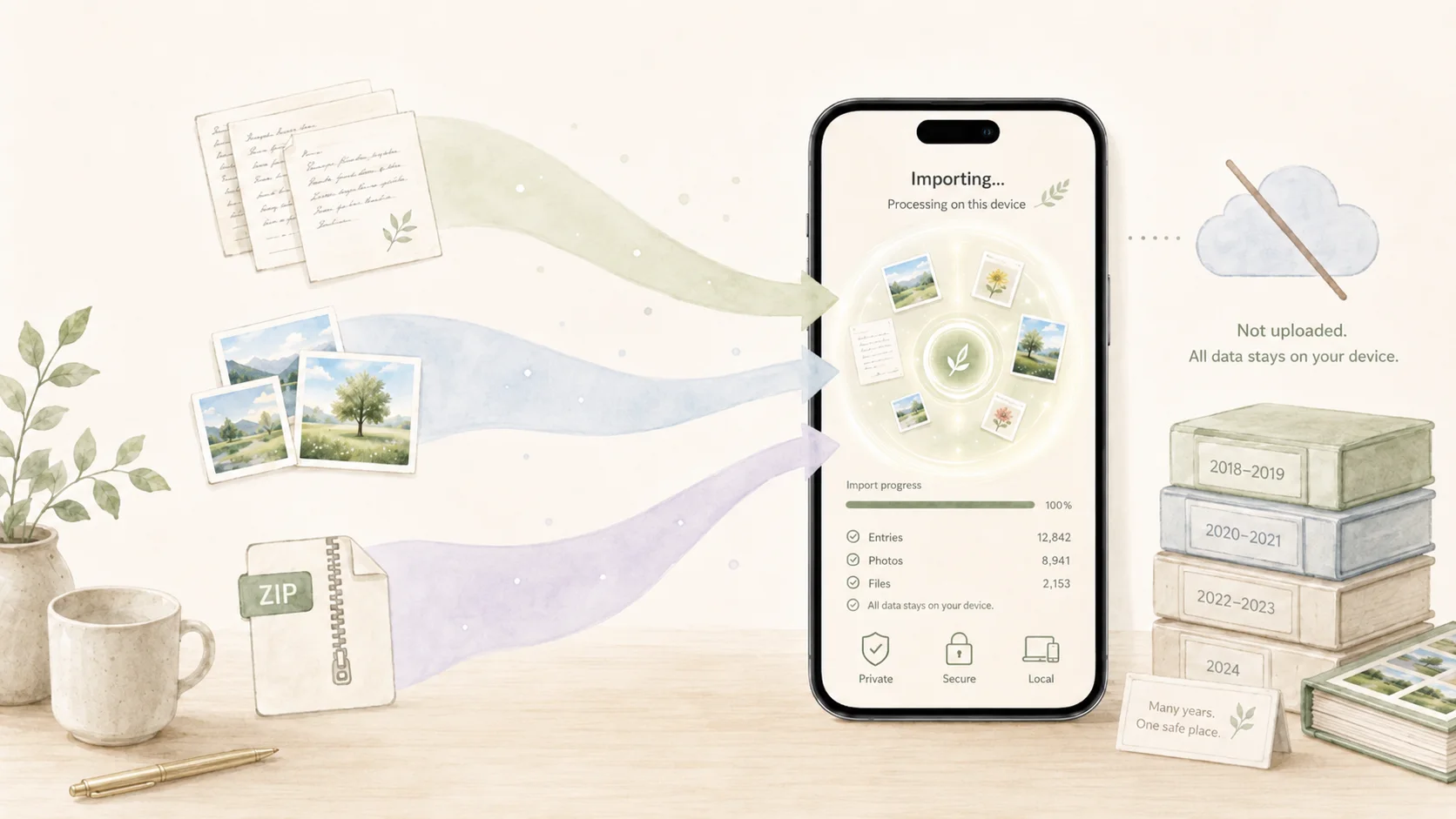
Parsing and conversion happen on the phone. The diary text, photos, and export file are not uploaded to a server operated by 100 Year Diary just to perform the migration.
Large exports also need to work without loading an entire Zip into memory at once. The importer reads the parts it needs progressively instead.
During development, the import flow was tested with roughly 3,650 days of entries—about ten years—and exports around 1 GB including photos.
Carrying your history forward
The day you first open 100 Year Diary is not necessarily the day you started keeping a diary.
You may already have years of history in another app. Until now, starting 100 Year Diary meant leaving that older history somewhere else.
With version 1.4.0, supported exports can become part of the same diary, so the next entry can feel like a continuation rather than a new beginning.
The point of 100 Year Diary is not only to record today. It is to let years accumulate until the past becomes something you can revisit naturally.
That works better when the history you already wrote can come with you.